CRM Suite Starter
Start building customer relationships
Your customers never worked in modules. Now your CRM doesn't either.
Your sales, marketing, and service teams share the same customers, the same goals, and increasingly, the same need to work smarter, and not in silos. SuperOffice CRM Suite is built around that reality. One connected platform covering the entire Relationship Loop. From finding and winning new business, to growing accounts, to taking care of customers every step of the way.
More is now included as standard in your CRM. Your plan gives you a wider range of capabilities across sales, marketing, and service, plus powerful AI capabilities embedded directly in the CRM to help your teams work faster, follow up smarter, and spend less time on manual tasks.
The result: more value from what you already have, without changing your CRM setup.
A customer relationship doesn't stop where a module ends. Starter brings it all into one place: campaigns and pipeline tracking, sales and pipeline management, service requests, and shared contacts, documents, and email, with built-in data protection to keep you compliant from day one.
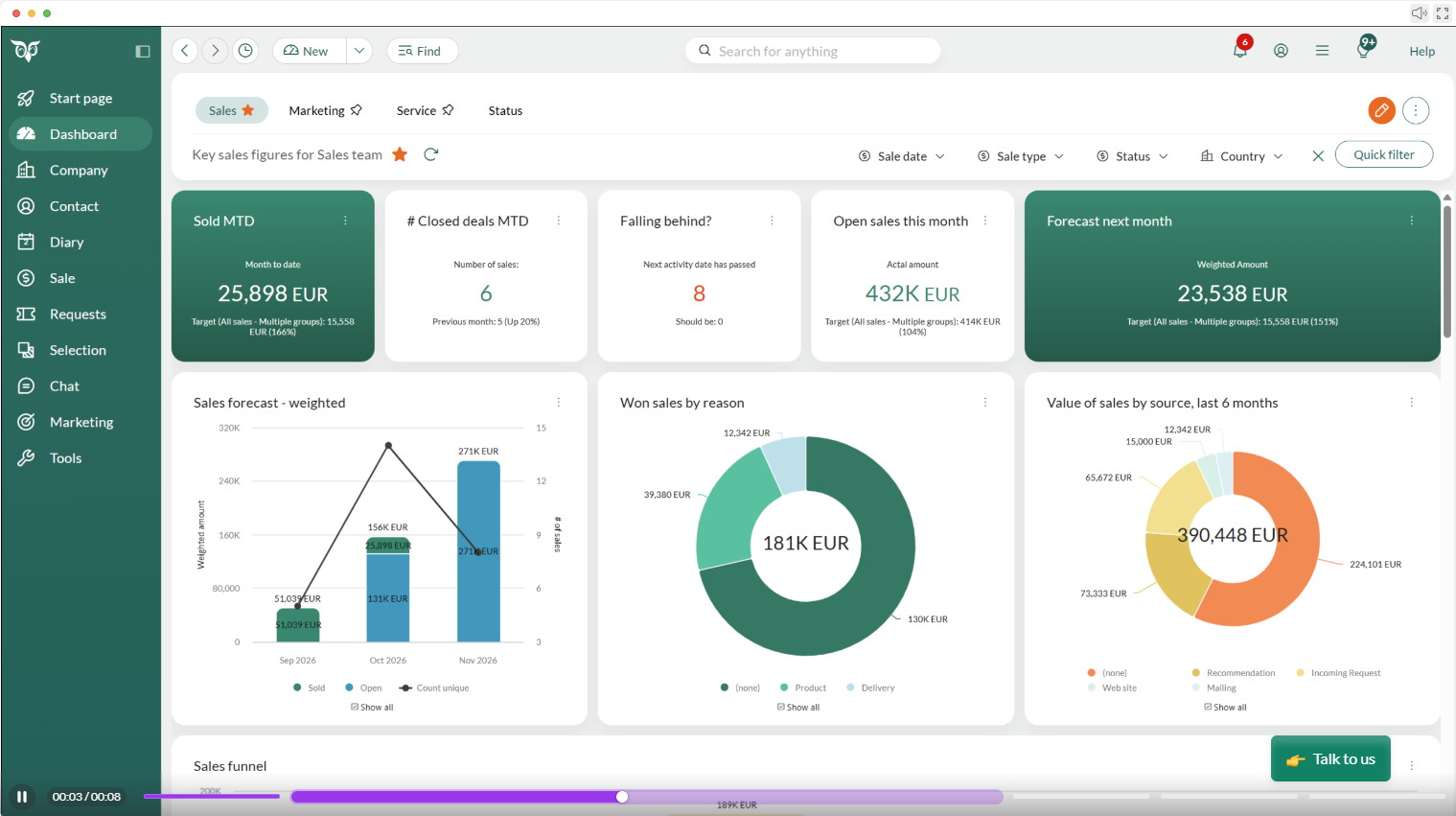
What should you explore first?
Pick your role, then your biggest challenge right now, and we'll point you to the part of Starter worth opening first.
Sales ▾
What's your biggest challenge right now?
I forget to follow up and deals go cold ▾
I'm typing the same info into two places ▾
I can't tell which deals will actually close ▾
We're only using the CRM for sales right now ▾
Marketing ▾
What's your biggest challenge right now?
Our campaigns feel generic, not personal ▾
Sales has no idea who we've already emailed ▾
I can't prove our campaigns are working ▾
Customer Service ▾
What's your biggest challenge right now?
Tickets pile up with no clear owner ▾
I answer the same three questions all day ▾
My manager has no idea how the queue is doing ▾
Consulting ▾
What's your biggest challenge right now?
Every consultant tracks client work their own way ▾
Getting a new consultant up to speed on a client takes days ▾
We lose track of what's billable versus exploratory ▾
Product ▾
What's your biggest challenge right now?
Customer feedback lives in someone's inbox ▾
It's hard to keep everyone aligned on what's already been discussed ▾
We forget to loop customers back in after a fix ships ▾
IT and Systems ▾
What's your biggest challenge right now?
We need to prove we're handling data responsibly ▾
Some teams use it well, others barely log in ▾
Every exception becomes a one-off manual fix ▾
Finance and HR ▾
What's your biggest challenge right now?
Vendors and partners don't have a proper home in our systems ▾
Vendors and partners don't have a proper home in our systems ▾
Approvals and requests get buried in email ▾
Learning and Development ▾
What's your biggest challenge right now?
New hires take weeks to feel confident in the CRM ▾
We can't tell who's actually finished onboarding ▾
Training materials live in five different places ▾
CRM Administrator / Operations ▾
What's your biggest challenge right now?
Compliance questions always land on my desk ▾
New team members don't know where to look first ▾
I can't tell who's actually using what we've built ▾
Management / Leadership ▾
What's your biggest challenge right now?
I find out about problems after they're already a crisis ▾
I can't tell if sales, service, and marketing are actually pulling together ▾
Pulling a report takes half a day ▾
Partner / Consultant ▾
What's your biggest challenge right now?
Each partner tracks their clients a different way ▾
New partners take too long to get productive ▾
Sharing the full picture with a partner takes forever ▾
Other ▾
What's your biggest challenge right now?
I'm honestly not sure where to start ▾
I just want something simple that works ▾
I want to see what this can do before I commit ▾
Five things in Starter you'll actually use
Not a feature list. These are the changes our customers notice in their first month, open each one to see why it matters.
Shared calendar and invitations ▾
Request categorisation and auto-replies ▾
Standard dashboards ▾
Built-in data protection ▾
Shared contacts, documents, and email ▾
Work smarter, right where you are
No new tools to learn, no copy-pasting customer data into a chatbot. These assistants live inside SuperOffice and work with the data you already have. Use them when they help. Ignore them when they don't.
Writing Assist
Catches spelling and grammar mistakes as you type, and translates text into other languages when you need it.
StartPage
Your personalized CRM homepage, with the information and shortcuts most relevant to your day.
SuperNotes
Prepares for and joins your meetings, takes the notes, and updates the CRM, automatically.
Apps that extend your CRM
Connect SuperOffice to a handful of everyday tools, all free to add whenever you're ready. Select an app to see what it does for you.
Higher plans include additional apps at no extra cost, see the price list or app store for what's available on Starter.
Google Workspace Integration▾
Google Workspace Integration connects SuperOffice with Google Workspace document management, so you can work on documents in Google while keeping them tied to the right customer in CRM. You collaborate seamlessly without ever losing the link between a document and the relationship it belongs to.
SharePoint Documents▾
SharePoint Documents brings Microsoft SharePoint document collaboration and sharing into SuperOffice, so you can store and co-edit documents in SharePoint while reaching them straight from the customer record. The result is effective collaboration and a single source of truth for every customer document.
SuperOffice for Outlook▾
SuperOffice for Outlook connects your Microsoft Outlook inbox with SuperOffice, letting you archive emails and see CRM context on your contacts without leaving Outlook. Your inbox and your CRM finally tell the same story, fully and seamlessly synchronized.
SuperOffice Gmail Link▾
SuperOffice Gmail Link lets you archive emails and capture contact details straight from your Google Gmail inbox into SuperOffice, so you can add contacts and log correspondence without copy-pasting into CRM. That means less manual entry and a CRM that stays complete and up to date.
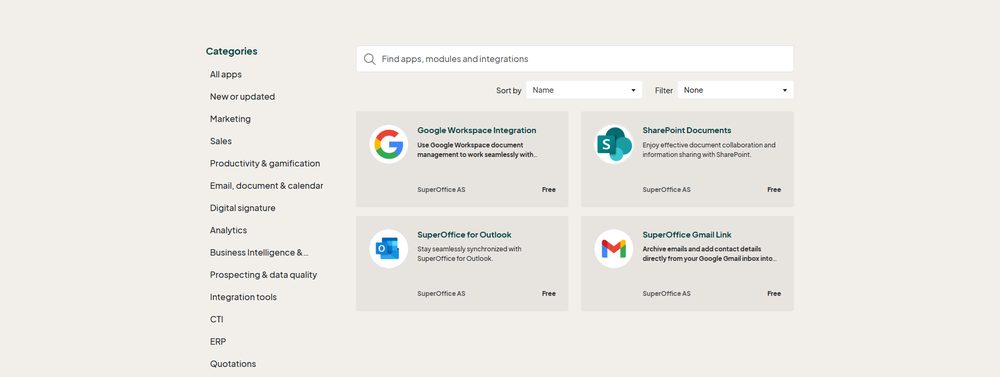
Explore the CRM Suite apps by category in the SuperOffice App Store.
How to add an app to your SuperOffice CRM
Not an administrator? You can still help things along, share the app page with your SuperOffice administrator so they can activate it, or ask your SuperOffice contact to set it up for you.
Need help? Your SuperOffice contact or the Customer Experience Center can walk you through it.
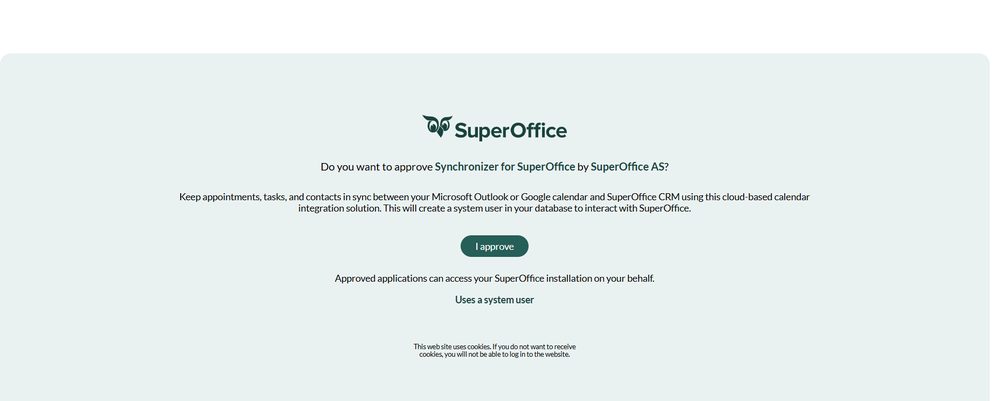
An administrator approves the app.
Pricing
For some customers the subscription price will be adjusted, reflecting the wider capabilities now included. Here's how the model works, and why you stay in control of it.
One plan instead of separate modules
Sales, service, and marketing capabilities that were previously priced as separate modules are now in one Starter plan. Before you compare prices, compare what's inside: the fair comparison isn't Starter vs. your old module. It's Starter vs. your old module plus everything you'd have added to match it.
Your subscription fee will stay the same from October 1 until your next renewal date, giving you time to experience the new value with the old price.
Usage that grows when you do
Starter includes generous built-in allowances for things like mailings sent and requests resolved. You don't pre-commit to usage you can't predict. If a busy quarter pushes you over, you scale then, not before.
Illustration. See the CRM Suite price list for your plan's exact allowances.
Questions about pricing? The Customer Experience Center is happy to help.
Questions you might have
Do I really need marketing and service features? I bought a sales tool. ▾
Will I pay more? ▾
What is usage-based pricing, and can it surprise me? ▾
Do I have to do anything? ▾
What if we need more? ▾
Next steps
Now
Explore what's in Starter. Read the articles available on what's included, and get to know the new capabilities waiting.
Move
Your account moves to the Suite. New capabilities switch on.
In coming weeks
Pay attention to your inbox for a coming Suite welcome email with more information about your Suite plan. Remember to also check your spam folder.
In coming months
We will keep sending you emails with tips for how to get the most out of your Suite. If you are not receiving the emails and would like to, contact us.
Your next renewal
Subscription price changes on your renewal date after October 1. Until then: new value, old price.
Questions? We're here to help.
Whether it's pricing, features, or whether Starter is the right fit, we're here to walk you through it.