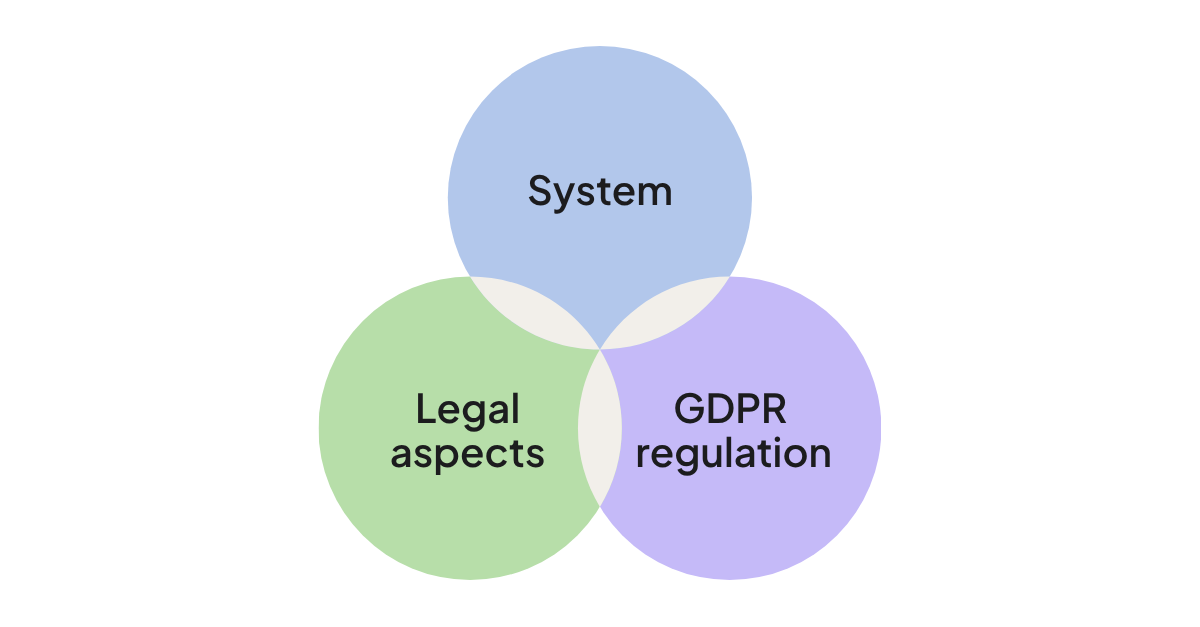
If your company works with contacts, customers, or prospects based in the EU/UK, GDPR applies to you, regardless of where your business is located.
What counts as personal data?
Personal data is any information that can identify a person - names, email addresses, phone numbers, job titles, IP addresses, and more. In a CRM system, this is essentially all the data you store: your entire contact and company database.
What does GDPR require?
At a high level, GDPR requires that your company:
- Has a documented, lawful reason (a legal basis) for storing and processing each piece of personal data
- Is transparent with people about what data you hold and why
- Lets people exercise their privacy rights (see our companion article, The 8 GDPR privacy rights and how SuperOffice CRM supports them
- Keeps personal data secure, and only for as long as you have a legitimate reason to keep it
A CRM system alone can't make your business GDPR compliant - that depends on your policies, training, and processes. But the right CRM system gives you the tools to *document and act on* your compliance decisions.
How SuperOffice CRM supports your GDPR compliance
SuperOffice CRM was built with Privacy by Design - data protection isn't bolted on, it's part of the core architecture. Here's what that looks like in practice:
Consent management
Register, for every contact, why you're storing their data (legal basis), what you're using it for (purpose), where the consent came from (source), and when it was given and by whom. This is the foundation for demonstrating compliance if you're ever asked to prove it.
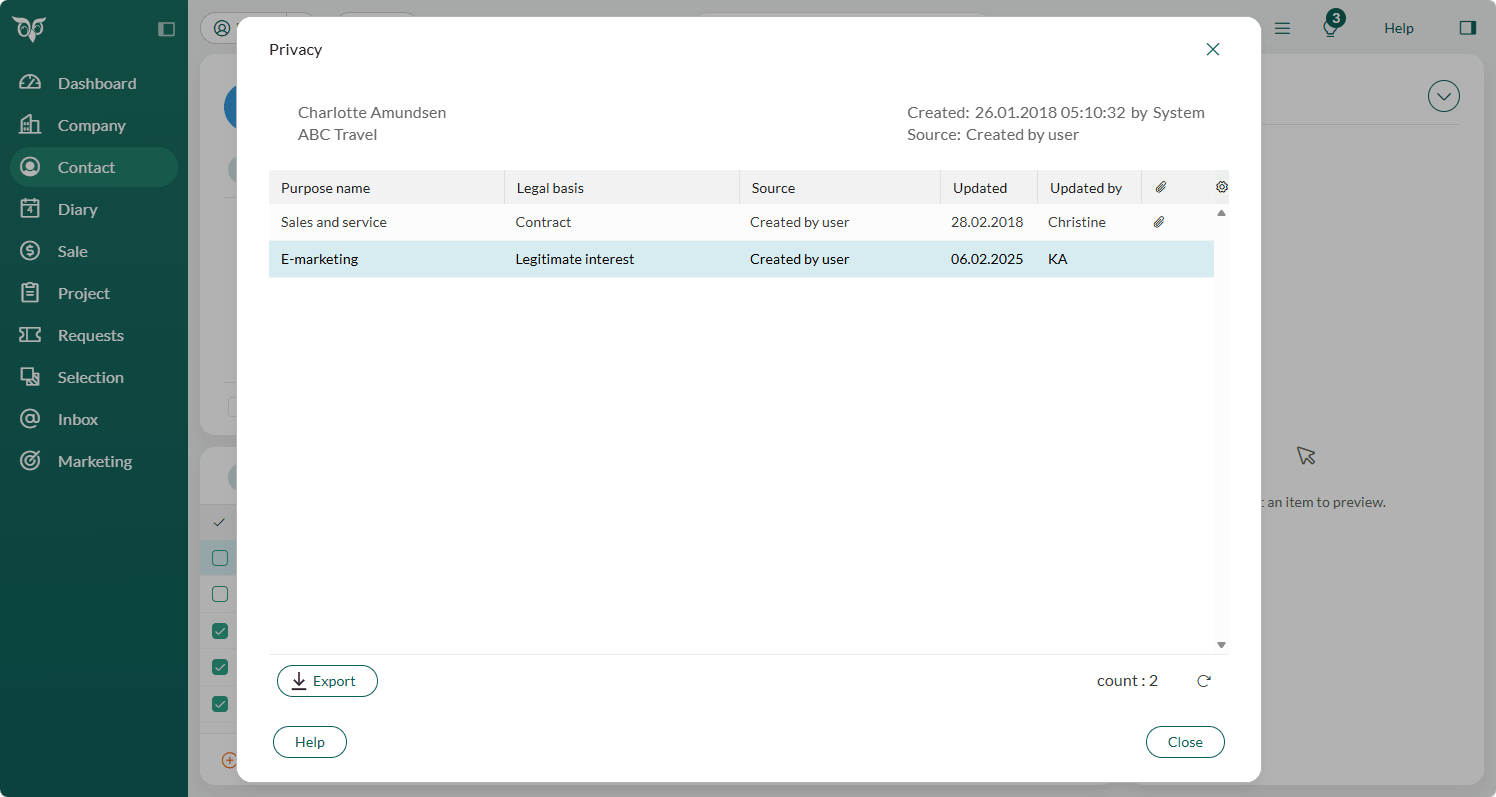
Learn more about consent management
Subscription management
Let contacts choose exactly what kind of communication they want from you — and make it easy for them to change their mind or opt out. This keeps your marketing lists compliant and your engagement rates healthier.
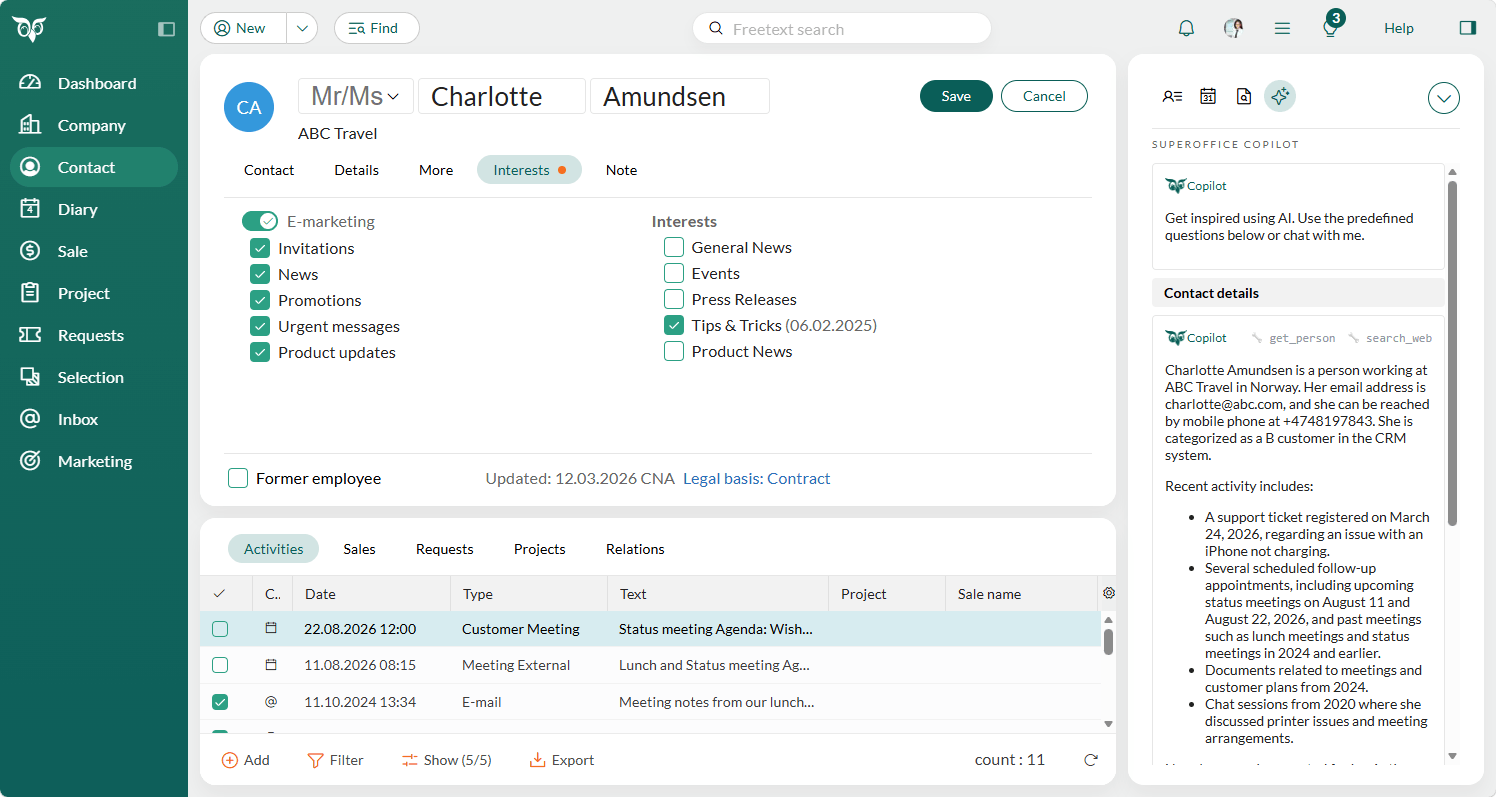
Learn more about e-marketing consent
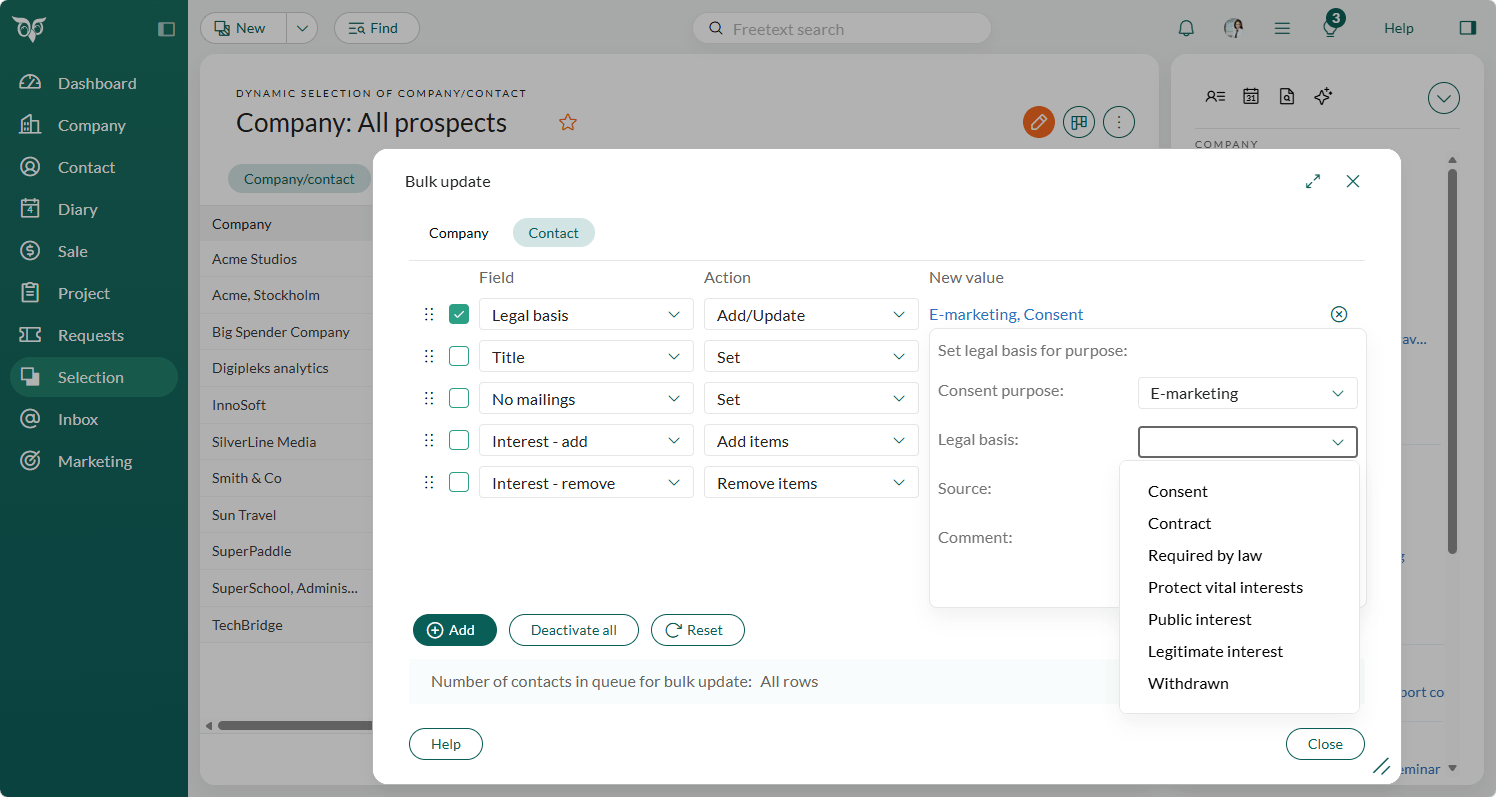
Bulk data updates
Bring your existing database up to GDPR standard without editing records one by one. Use rules to set purpose, legal basis, source, and date across large groups of contacts, activities, sales, and projects at once.
Privacy lists you control
Two configurable lists - Privacy: Source (where the data came from) and Privacy: Legal basis (the lawful reasons for processing) - let you tailor the system to your company's specific privacy policy.
See how to set these up:
Getting your existing data GDPR-ready
If you haven't already mapped your personal data, start here:
- Identify what personal data you currently store, and where (SuperOffice, spreadsheets, other systems)
- Document why you have each type of data - the purpose and legal basis
- Configure your privacy lists and consent settings in SuperOffice CRM to match your policy
- Update existing records using bulk update, based on your documented decisions
- Maintain - make consent and privacy documentation part of your standard contact-registration process going forward
For a structured walkthrough, see SuperOffice Docs' 5-step implementation guide.
Get legal advice
SuperOffice CRM gives you the tools to support GDPR compliance, but how the regulation applies to your specific business - and what your legal obligations are - is a legal question. We recommend consulting your Data Protection Officer, legal counsel, or your national data protection authority. The official EU GDPR portal (https://gdpr.eu/) is also a useful starting point.
Where to go next
- The 8 GDPR privacy rights and how SuperOffice CRM supports them
- Setting up consent, privacy lists & subscriptions in SuperOffice CRM
- GDPR & sales prospecting: how to find new customers without breaking the law
- Full technical documentation: docs.superoffice.com - Privacy & GDPR
This article is provided for informational purposes and is not legal advice.