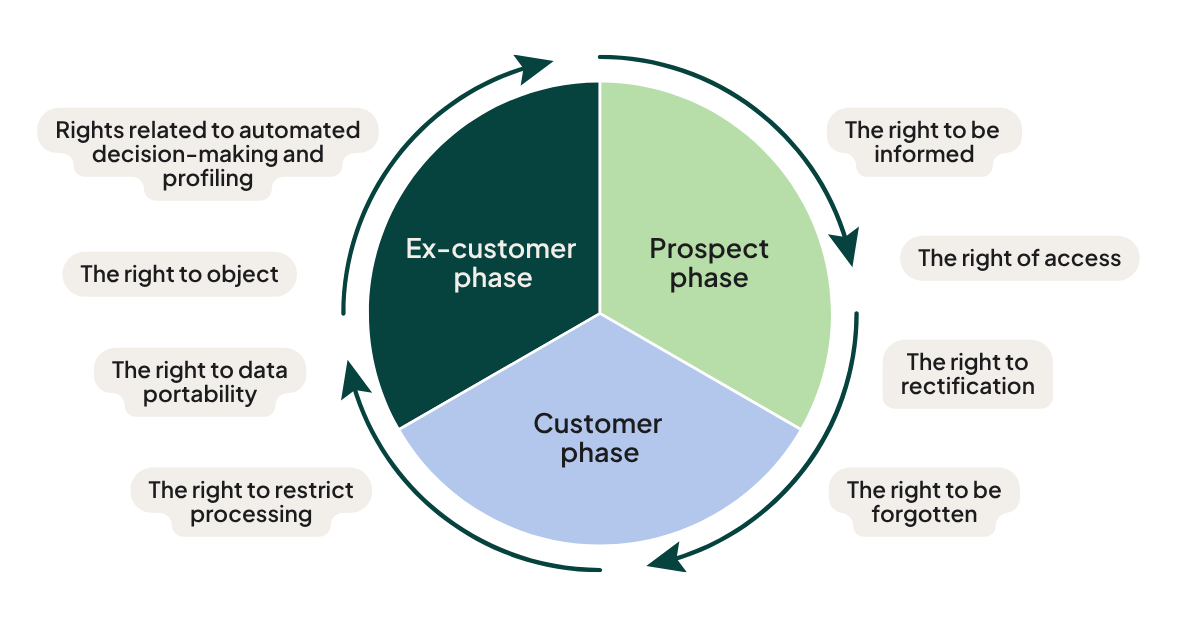
1. The right to be informed
People have the right to know what data you collect about them, why, and for how long you'll keep it - usually communicated through a privacy policy in plain language.
How SuperOffice CRM helps:
- Automatically send a notification email when a new contact is registered, informing them that their data is now stored in your system
- Use Selections and mailings to inform groups of contacts about how their data is processed
- Use Forms to link directly to your privacy statement and automatically log the resulting consent
2. The right of access
People can request a copy of the personal data you hold on them, and an explanation of how it was obtained and used.
How SuperOffice CRM helps:
- Consent Management documents the legal basis, source, and timing of the data you hold, so you can respond accurately and quickly
- The Personal data report gives you a ready-made summary of everything stored on a specific contact
- A dedicated shared inbox in SuperOffice Service ensures privacy requests are logged and tracked, not lost in someone's personal inbox
3. The right to rectification
People can ask you to correct inaccurate or incomplete data - and you should confirm once it's done.
How SuperOffice CRM helps:
- Contacts can be edited directly, with permission controls if you need to restrict who can make changes
- A shared inbox in SuperOffice Service gives you a central place to receive and track correction requests
- The Personal data report can be used to confirm to the contact that their information has been corrected
4. The right to erasure ("the right to be forgotten")
People can ask you to delete their data - and you must also delete data proactively once you no longer have a legitimate reason to keep it.
How SuperOffice CRM helps:
- Delete individual contacts, with related activity data automatically anonymized elsewhere in the system
- Bulk-delete contacts from a Selection when cleaning up larger groups
- Recover accidental deletions from the recycle bin within a limited window
- Use Activity monitors (SAINT) or scripted rules to identify and flag contacts that meet your deletion criteria (e.g. no consent + no activity within a defined period)
5. The right to restrict processing
People can ask you to pause processing their data without deleting it outright - commonly used to stop marketing communications while keeping the record.
How SuperOffice CRM helps:
- Subscription Management lets you stop mailings or other communications to a specific contact while keeping their record intact
- Use SAINT to flag contacts on "hold" so they're automatically excluded from Selections used for outbound communication
6. The right to data portability
People can ask for their data in a structured, commonly used, machine-readable format, or ask that it be transferred directly to another provider.
How SuperOffice CRM helps:
- Create a Selection of the relevant contact's data and export it to Excel or CSV
- This right mainly comes into play when data has entered SuperOffice CRM via an automated integration - for manually entered CRM data, it's rarely invoked
7. The right to object
People can object to their data being processed at all, particularly for direct marketing - this can override even a legitimate interest basis.
How SuperOffice CRM helps:
- Consent Management lets you track exactly if and when someone has objected
- Subscription Management ensures you don't send e-marketing communications to anyone who hasn't opted in, or who has opted out
8. Rights related to automated decision-making and profiling
People can request human review of decisions made solely by automated processing, particularly where those decisions carry legal or similarly significant effects.
How SuperOffice CRM helps:
- This right applies more to systems like credit scoring or insurance underwriting than to typical CRM use
- If a request like this comes in, log and route it through a shared inbox in SuperOffice Service so it's picked up by a human, not an automated flow
A note on legal basis
Several of these rights depend on why you're processing the data in the first place - consent, contract, legal obligation, or legitimate interest, among others. Getting the legal basis right on each contact is the foundation that makes all eight rights easier to fulfil. See GDPR consent management in SuperOffice Docs for the full setup.
Where to go next
- What is GDPR and how does SuperOffice CRM support compliance?
- Setting up consent, privacy lists & subscriptions in SuperOffice CRM
- Full technical documentation: docs.superoffice.com - Privacy & GDPR
This article is provided for informational purposes and is not legal advice.