✨ Community just got smarter! Our all-new AI search is live! ask anything in the search bar, get instant answers.

Find answers. Get support. Join conversations.

Community becomes smarter!

Our Community site features a Resource Centre together with an AI chat.

Latest stories

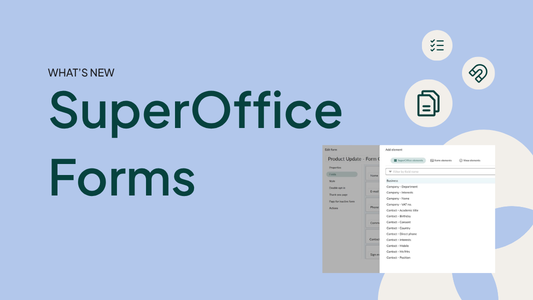
New and improved Forms

Forms, combined with relevant content, are one of the most effective ways to engage both existing and potential customers - and now they got even better!

04/28/2026

Greetings from new CEO

Hello from Bjørn Røsten

04/27/2026

SuperOffice Impact Makers #4: Marketing is soms net topsport

Vandaag nemen we dat letterlijk! Hugo duikt de boksring in met Derk van der Pol, marketingmanager bij Deponti, en natuurlijk onze eigen Nicholas Verzuu. Wat kun je verwachten van deze unieke sessie? 🧠 8 rondes diepe duik in marketing met Nicholas Verzuu. 💪 8 rondes zweten in de ring met Hugo en Derk. -- Impact Makers is een initiatief van SuperOffice: de plek waar we de status quo van CRM en klantstrategie uitdagen. Van scherpe discussies over de toekomst van de funnel tot diepgaande gesprekken met professionals van nu. Kan je niet genoeg krijgen van SuperOffice Impact Makers? Luister dan naar onze nieuwste podcast: https://lnkd.in/ebPK6Azx Meer over Super Office Impact Makers https://www.superoffice.nl/local-content/benelux/impact-makers/

04/09/2026

Request Relations

Connect the dots and manage complex support workflows with related requests.

04/07/2026

Stop met wachten op de 'perfecte' lead!

Wacht jij ook alleen op die warme inbound leads? Dan laat je een goudmijn liggen. Bas legt uit waarom de "onderzoekende" lead je beste vriend is. Ze zijn misschien nog niet klaar om te kopen, maar ze zijn duizenden malen waardevoller dan koude acquisitie. Tijd voor een mindset-shift! 📺 Bekijk de hele podcast op YouTube: https://lnkd.in/eXc5eFAS 🎧 Luister de aflevering op Spotify: https://lnkd.in/ep_VdEWa Meer over SuperOffice Impact Makers: https://www.superoffice.nl/local-content/benelux/impact-makers/

04/07/2026

Latest forum posts

  • Posted Create on-brand forms faster with AI styling in AI styling

    Hi all, We are introducing a new feature to help you style your forms in a more efficient way. With AI styling, AI styles the form for you. First, you add a url-link to your branded website that the form should match. Then, AI will then analyze the site an apply similar colors, typography, button styling and other visual details to your form. Open any form, go to  Style → Custom styling , and you'll find AI styling there (if you have AI Lab enabled) This is a Beta-version, so we are very interested in your feedback on how we can improve the results that the AI gives you.   Before you start, a few tips for best results 1.        The AI scrapes a single URL  — it does not follow child pages. For best results, link to the specific page where the form will be embedded, or the page that contains the CTA button leading to the form. This gives the AI the most relevant styling context. 2.        Start with an unstyled form.  Do not use a form that already has styling applied. The best starting point is a form that has the right fields in place, but no styling yet.   How to give feedback When you share your feedback, please include the following so we can use it to improve the AI output: The URL you used for scraping A screenshot of the result What you expected to see, and what was different The more specific you are, the better we can train the AI to handle these cases.   Where to send feedback Give your feedback in this thread or send to  pilot@superoffice.com , with subject AI-styling.   Q&A How long does it take?  About one minute. A progress bar in the editor keeps you informed while the AI generates the CSS. Can I adjust the result afterwards?  Yes. The AI fills in all CSS classes automatically and you can make further edits in the CSS editor. That said, our goal is output that doesn't require manual tweaking, so if you find yourself needing to make significant corrections, that's exactly the kind of feedback we want. The result doesn't look right. What should I do?  If the result looks nothing like your website, the most likely cause is the URL. Try linking to a simpler page — ideally one with a clear header and brand colours. Pages with heavy animations, video backgrounds, or login walls are harder for the AI to read accurately. If a different URL doesn't improve the result, don't spend time trying to fix it manually. Submit the feedback as described above and move on. These are exactly the cases that help us the most. What happens after the pilot?  We are using pilot feedback to add rules that improve the AI output before the feature goes to general availability.   You can find more information about the Pilot program in this link .  

    9 h, 48 m ago | 11:13 AM
  • Replied to truncated text from long Description in Ticket Header? in Service management

    truncated the description in new short text UDF and take this one to Ticket header.

    14 May 2026 | 03:40 PM
  • Replied to How We Work with Request Signatures in the Customer Experience Center – For Your Inspiration in Setting up and administrating Service

    Well for example the persons mobile phone number, any details from the owner company card so you dont have to have multiple signatures for environments where they work with multiple companies/departments within one SUO env.

    30 Apr 2026 | 05:40 PM
  • Posted Template variables and buttons in Screen designer for Custom Objects in Custom Objects

    Hi, In screen designer we can add buttons on a custom object. My customer want to be able to open an external url (sharepoint) related to the chosen id. The URL is also saved in an extrafield on the custom object. Since it's an external URL I guess we can't use EventData and setNavigateTo, so I'll try to use "Open webpage" on the button and create a script that opens a URL with a cgiVariable. This works fine on tickets, but I can't figure out how we can take the custom object id from the URL and add it as a cgiVariable when running a script?

    30 Apr 2026 | 07:34 AM
  • Posted Change Print Label Font in Sales management

    Hello, When printing address labels from SuperOffice selection > tasks > print labels there is no option to edit the font. How can I do this please? Kind Regards, Lorraine.

    29 Apr 2026 | 09:25 AM
  • Posted Combination selection in Core CRM features

    Hello everyone - I am feeling like a total newbie here, But I am struggeling to create a selection where I can see all projects with a certain status created during a period of time connected to a company When I am trying this in SO, I don´t get the result I would like to have. Example of list Project Create date - project number - project name - status - company name   Any suggestions out there?   :)   Peter  

    28 Apr 2026 | 08:45 AM

Active forums

  • David Hollegien Setting up and administrating Service 04/30/2026 mode_comment 176
  • CN

    Custom Objects 04/30/2026 mode_comment 97
  • LS

    Sales management 04/29/2026 mode_comment 67
  • Frode Berntsen SuperOffice Online Replication 03/11/2026 mode_comment 6
  • Trude Lien Smedbråten Custom styling 03/10/2026 mode_comment 3
  • Marcel Spapens SuperOffice for Teams 04/14/2026 mode_comment 3